
Placement test
The test serves to determine the current level of knowledge in order to create a starting level that is as uniform as possible in accordance with the requirements profile of the respective level. This should enable each participant to take a course according to their level of knowledge.
Who has to take the test?
- All students who want to take an English course for the first time.
- Students whose last English course was before winter semester 2023-24.
- Students who took the placement test before summer semester 2026 and have not attended a course.
- Students who wish to take courses at a higher level (except those who have successfully completed the previous UNIcert® level).
Who does not have to take the test?
- Students who already took the placement test last semester (SS 2026) but did not take part in any course (the result from last semester is still valid). If you no longer know how you were placed, please send us an e-mail (with your matriculation number).
- Students who have successfully completed an English course at SpZ from (and including) WS 2023-24 and would like to attend further courses at their current level.
What form does the test take?
The placement test is offered via the KIT ILIAS platform and takes up to 30 minutes. The test assesses language skills on general language topics and tests grammar knowledge and listening comprehension. The individual tasks are based on a multiple-choice procedure.
We recommend using an up-to-date browser. You will need headphones or speakers for the embedded video/audio files. Please do not switch browsers during the test, as this can lead to conflicts (cookies, sessions, cache, etc.) and your test result will not be saved.
Note: We recommend that you familiarize yourself with the test principle in advance (examples are here or here).
We recommend using an up-to-date browser. You will need headphones or speakers for the embedded video/audio files. Please do not switch browsers during the test, as this can lead to conflicts (cookies, sessions, cache, etc.) and your test result will not be saved.
Note: We recommend that you familiarize yourself with the test principle in advance (examples are here or here).
Where can I find the online placement test?
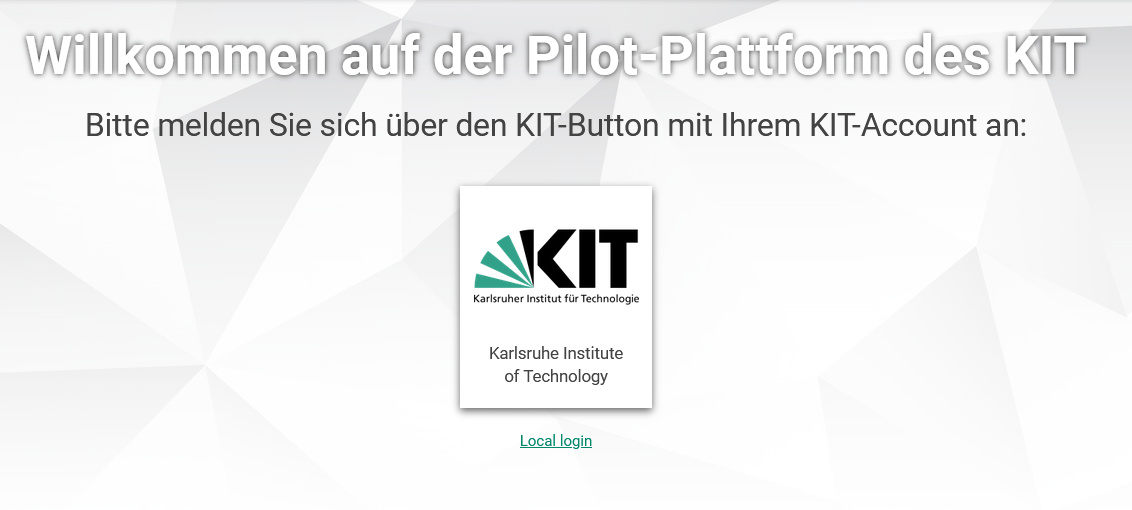
1. you can find the test in the ILIAS pilot environment.
2. log in with your SCC account
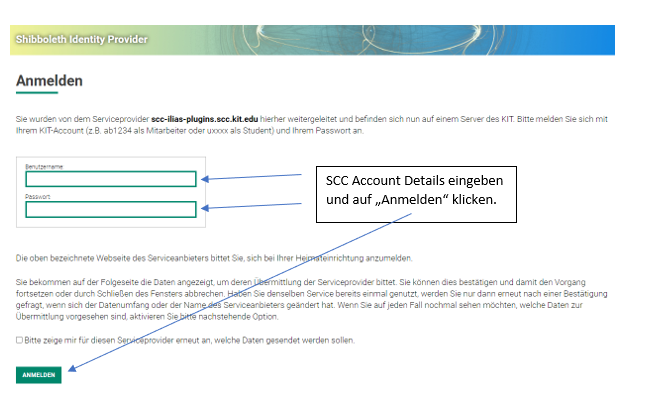
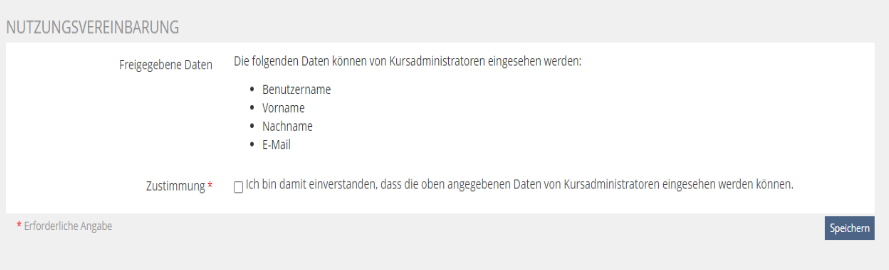
3. accept the user agreement, if applicable
4. join the ILIAS course.
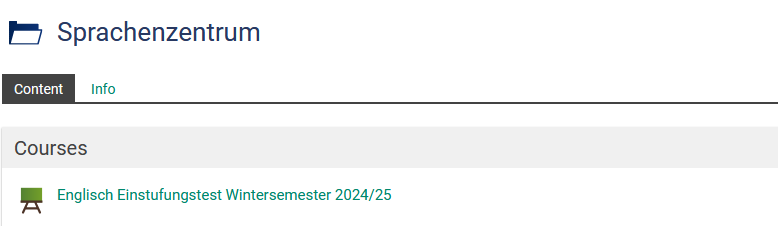
5. the test can now be started.
Which courses can I register for?
After taking the test, the result and the recommended level will appear on the screen.
| Score achieved | Course level |
|---|---|
| below 20% | Is below the entry requirement |
| from 20% - 49% | Courses at A2 level |
| from 50% - 64% | Courses at B1 level (UNIcert® I) |
| from 65% - 79% | Courses at B2 level (UNIcert® II) |
| from 80% - 89% | Courses at C1 level (UNIcert® III) |
| from 90% | C2 level courses (UNIcert® IV) |
I think I have been placed at the wrong level
Our placement system automatically includes a 3 percent tolerance zone relative to the required minimum scores. If your result is within 3 percent of the threshold for a higher level, the system will still grant you direct access to that course. Conversely, if your score is up to 3 percent above the limit for your current level, you still have the option to register for the lower level if you prefer to consolidate your knowledge first. If you still feel you have been placed incorrectly, please contact the English department. We will try to find the right course for you.
I do not have access to the ILIAS platform
You can only take our online test if you have an ILIAS account. If you are enrolled at another university in Karlsruhe, for example, and would like to take an English course, please contact us by e-mail.