
Key qualifications
The Language Center offers the opportunity to acquire key qualifications (SQ) and interdisciplinary qualifications (ÜQ) in both semester and intensive courses.
Credit points and requirements
Generally, 2 ECTS credits are awarded. In some courses it is possible to obtain 3 or 4 ECTS points (English, French, Latin or Spanish). The award of credits is subject to the following criteria:
- Active participation for the entire duration of the course.
- Successful proof of performance: This is achieved either through a final exam at the end of the course or through the successful completion of tasks as part of a continuous performance assessment.
The exact procedure for acquiring ECTS points is explained in the respective courses.
Recording of achievements (CAS Campus)
Your credits are usually recorded electronically via the student portal (Campus).
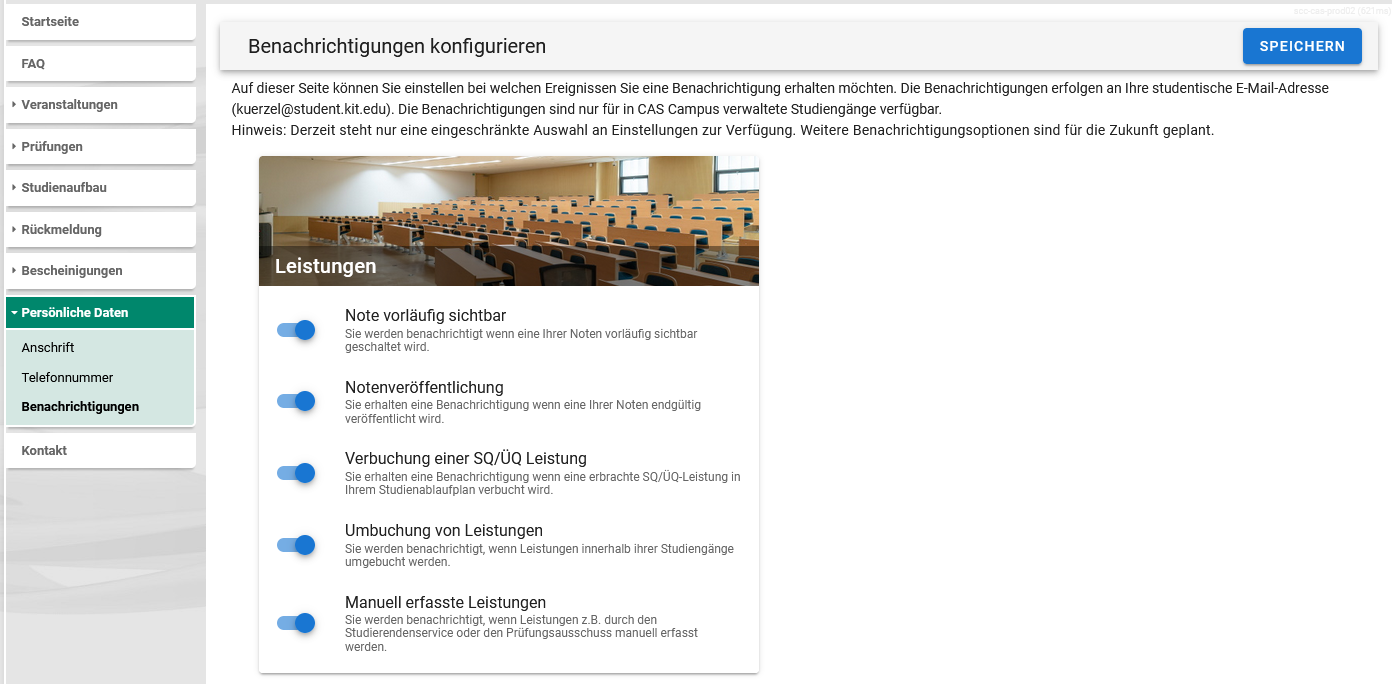
To be notified when your grade is published, you can activate the notification for ÜQ/SQ achievements in the Campus portal. To do this, under Personal data/Notifications, check the box"Posting of an SQ/ÜQ achievement" and press Save.
Degree program with electronic booking (CAS Campus)
The decisive factor for the creation of certificates is whether your degree program already uses electronic booking in CAS Campus. To do this, you can log in to the student portal and check under the Examinations > ÜQ/SQ credits tab to see whether any credits that can be booked are displayed.
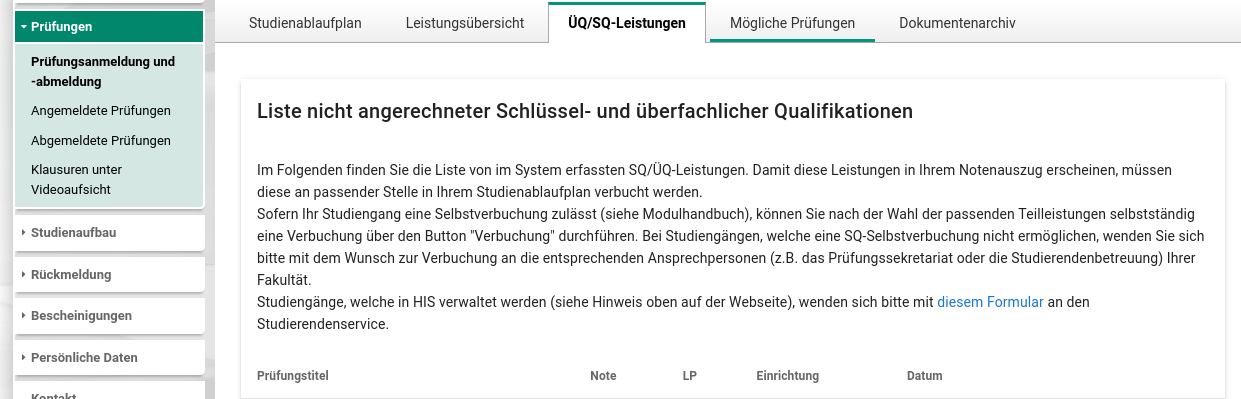
1. If you find the appropriate placeholders in your student portal, you can make the booking there yourself.
2. All others should get in touch with the relevant contact person in their faculty. In addition, it is possible to download a document on study and examination achievements without reference to the degree program (transcript of records) as proof:
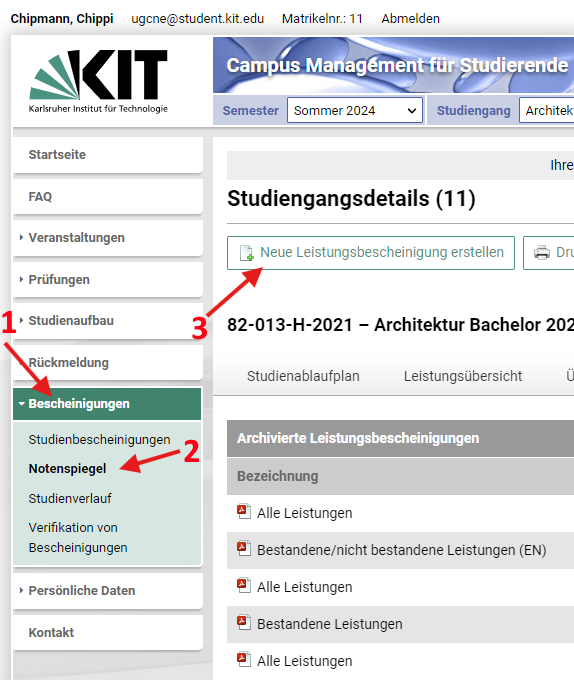
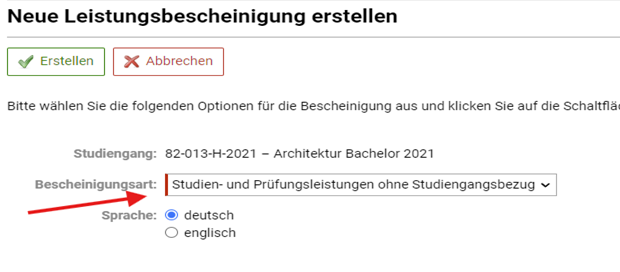
3. Student services no longer makes credit postings.
Degree program without electronic booking (HIS-POS) or non-KIT students
In these cases, proof is not provided automatically. Please contact us at the end of the course.
Further information can be found in the FAQ of the Campus Portal under Exam registration > (Self-)registration of ÜQ services.